

The Best Foods for Eye Health
Your eyes are one of the most important organs in your body, allowing you to experience the world in vivid detail. Like the rest of
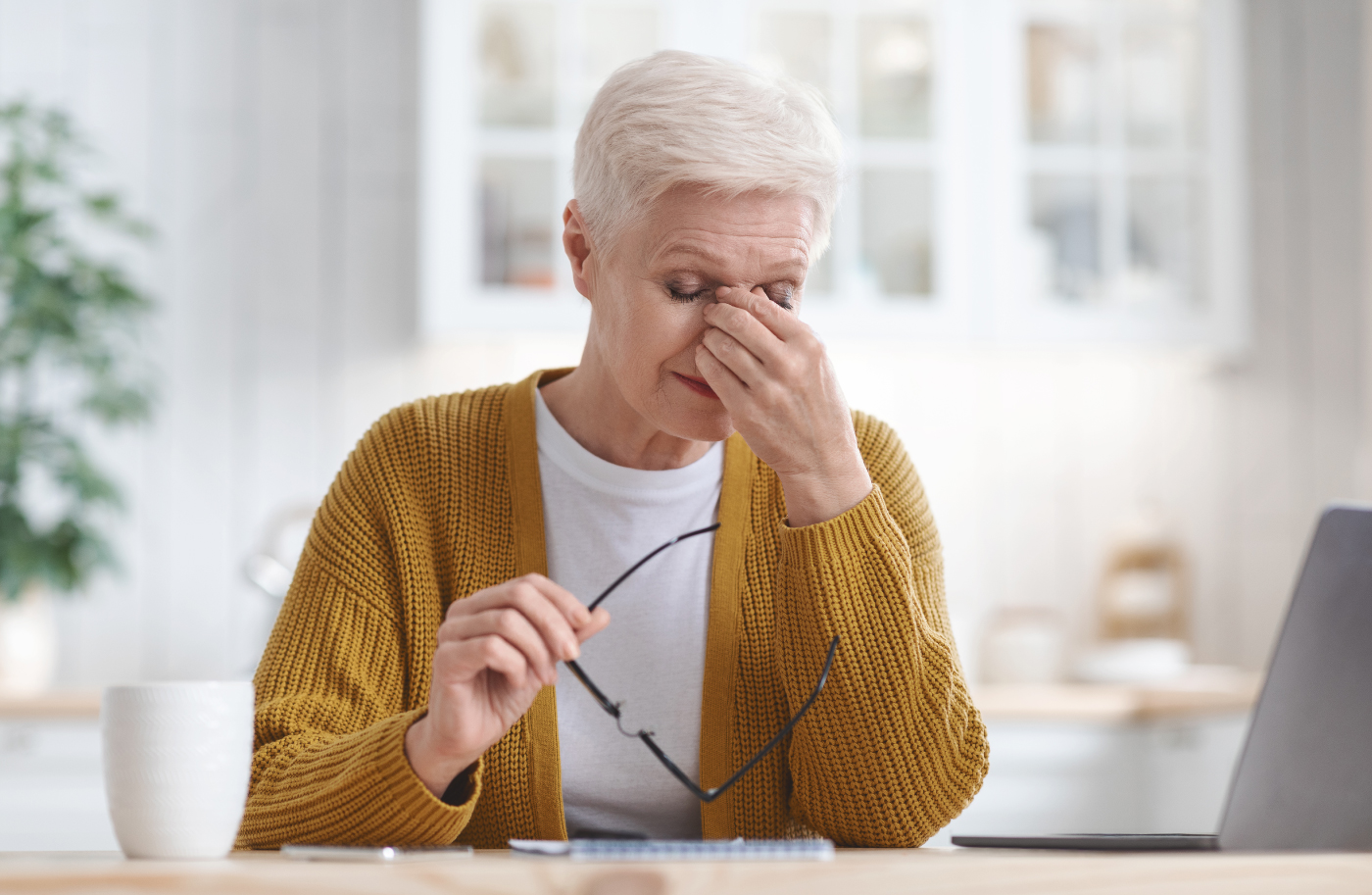
In today’s digital age, it’s not uncommon to experience eye fatigue after spending hours working on a computer, scrolling through your phone, or binge-watching your favorite shows. Eye fatigue, also known as eye strain, occurs when your eyes become tired from prolonged use, especially in environments that require intense focus or involve long periods of staring at digital screens.
In this blog, we’ll explore the causes, symptoms, and effective solutions to prevent and relieve eye fatigue.
Eye fatigue is a common condition that occurs when your eyes get tired due to overuse. It can affect anyone, but it’s especially prevalent among people who spend long hours in front of digital screens, such as computers, smartphones, and televisions. Eye strain can also result from reading, driving long distances, or performing tasks in poor lighting conditions.
Eye fatigue can be triggered by a variety of factors. Here are some of the most common causes:
One of the leading causes of eye fatigue today is digital eye strain or computer vision syndrome. Staring at screens for extended periods can cause discomfort due to the constant focus required. Additionally, when using screens, people tend to blink less often, which leads to dry eyes and contributes to strain.
Reading or working in low-light conditions forces your eyes to work harder to focus, which can lead to eye fatigue. On the other hand, bright or harsh lighting can also cause strain, particularly if there’s glare on a computer or phone screen.
Reading, crafting, or any activity that requires long periods of close-up focus can lead to eye fatigue. This happens because the muscles that control eye movement and focus become overworked.
If you have uncorrected vision issues such as nearsightedness, farsightedness, or astigmatism, your eyes will work harder to focus, leading to strain. Even wearing glasses or contact lenses with the wrong prescription can exacerbate the problem.
Driving, especially at night or in challenging conditions, can cause eye fatigue due to the constant need to focus on the road and be alert for potential hazards. It can be particularly challenging if glare from oncoming headlights is an issue.
Eye fatigue can manifest in several ways. Some of the most common symptoms include:
If you experience any of these symptoms, it’s essential to address them promptly, as ongoing strain can reduce productivity, affect overall well-being, and lead to more serious eye issues over time.
Fortunately, eye fatigue is often temporary and can be managed with a few simple lifestyle changes. Here are some strategies to prevent and relieve eye fatigue:
The 20-20-20 rule is an easy and effective way to reduce eye strain during prolonged screen use. Every 20 minutes, take a 20-second break and look at something at least 20 feet away. This helps relax the focusing muscles in your eyes, preventing them from getting overworked.
When focusing on a screen or reading, people tend to blink less, leading to dry eyes and irritation. Make a conscious effort to blink more frequently to help keep your eyes lubricated. You can also use artificial tears or lubricating eye drops if dryness persists.
In addition to following the 20-20-20 rule, try to take longer breaks from screen time throughout the day. Step away from your desk, stretch, and give your eyes a rest. If possible, incorporate more non-screen activities into your day.
Special computer glasses with blue light filtering lenses can reduce the glare and blue light emitted from digital screens. They can also help reduce eye strain and improve comfort during long hours of screen use.
If you wear glasses or contact lenses, make sure your prescription is up to date. Consider getting specialized lenses designed for computer work if you spend long hours in front of screens. If you experience eye fatigue even with glasses, consult your eye doctor to ensure your prescription is correct.
Dry eyes are a common symptom of eye fatigue, and staying hydrated helps ensure your eyes remain moist. Drink plenty of water throughout the day to prevent dehydration, which can contribute to eye dryness.
If possible, position your screen to minimize glare from surrounding lights. You can also use an anti-glare screen cover for your computer or laptop. If glare from overhead lighting is an issue, try adjusting your light source or using softer, indirect lighting.
While eye fatigue is often temporary and can be relieved with lifestyle adjustments, there are times when you should consult an eye care professional. If you experience persistent symptoms, such as ongoing headaches, blurred vision, or severe eye discomfort, it’s important to get a comprehensive eye exam. Eye strain can sometimes be a sign of an underlying issue, such as:
An eye doctor can assess your vision, provide the right prescription for glasses or contact lenses, and offer solutions to prevent future eye strain.
Eye fatigue is a common but preventable condition that affects millions of people, particularly in our screen-heavy world. By taking regular breaks, adjusting your workspace, and using proper eyewear, you can significantly reduce your risk of eye strain and improve your overall comfort.
If you continue to experience symptoms despite these adjustments, schedule an appointment with an eye care professional to rule out any underlying vision issues. With proper care, you can maintain clear, comfortable vision and keep eye fatigue at bay.
Your eyes are one of the most important organs in your body, allowing you to experience the world in vivid detail. Like the rest of
When it comes to selecting eyewear for children, the decision goes beyond just picking out a fun frame. Children’s eyewear needs to be comfortable, durable,

When we think about maintaining our health, regular visits to the doctor and dentist often come to mind. However, eye health is equally important, and
Vision is one of our most important senses, yet many people experience vision problems at some point in their lives. From minor issues like eye

VIP Eyewear offer comprehensive eye tests and Free hearing tests in our Tardebigge Studio.
We are a unique team that offers a friendly welcome to all our clients whether existing or new, offering a 1st class service and our aim is for you to leave our practice loving your eyewear.
As a team, we are very much community-driven, and the award winning practice is a hub for the community. Pop in anytime for a coffee and a chat.
No 3a Tardebigge Court,
Hewell Lane, Redditch,
B97 6QW
Monday: CLOSED
Tuesday: 9am – 5pm
Wednesday: 9am – 5pm
Thursday: 9am – 5pm
Friday: 9am – 5pm
Saturday: 9am – 4pm
Sunday: CLOSED

© 2025 VIP Eyewear Privacy Policy / Complaints Procedure